A calm wedding planner

Plan the big day, together.

Answer four gentle questions and your countdown, starter checklist, and budget are already waiting. No ads, no tracking, no clutter.

Download on the App Store Free for iPhone and iPad
Your season, beautifully organized
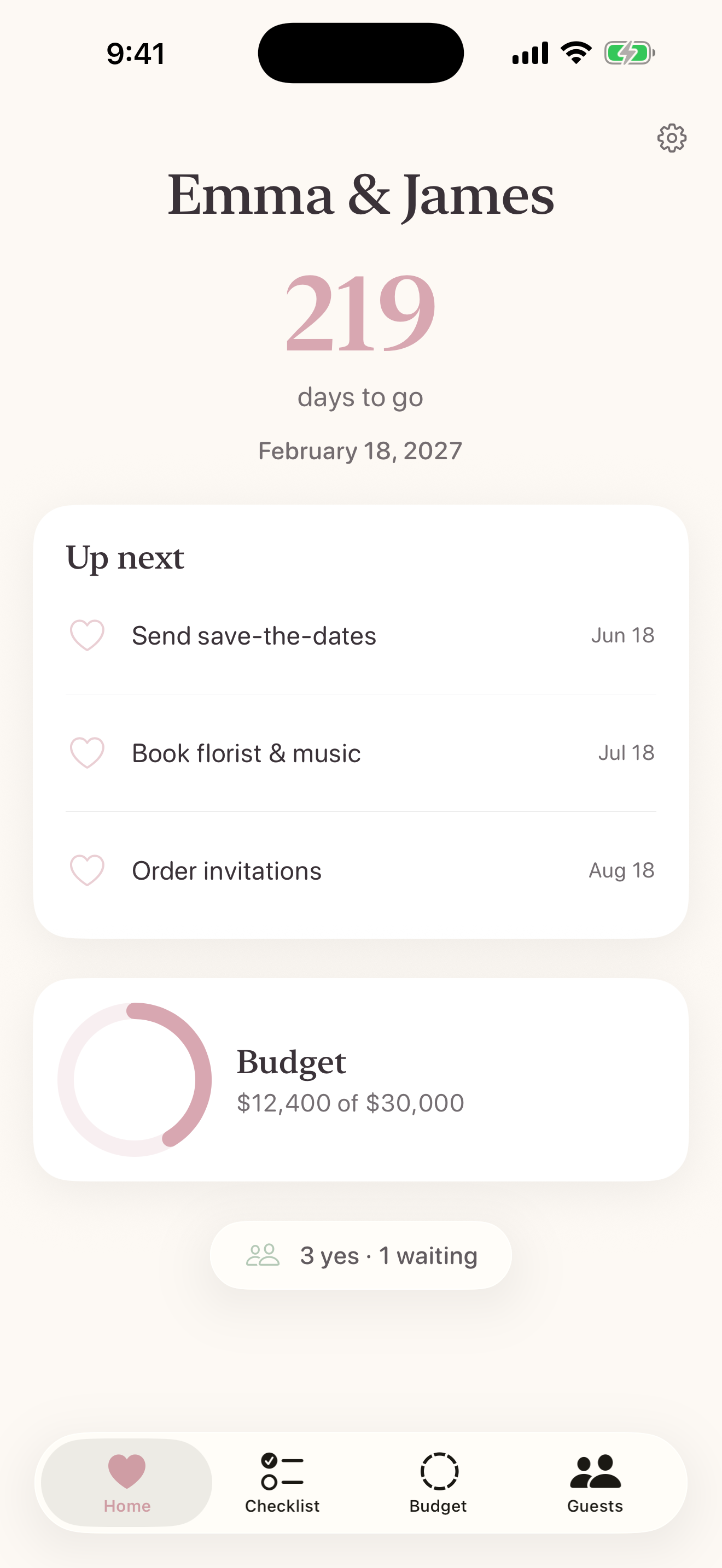
Tied in Bloom home screen showing fictional couple Maya and Theo with their wedding countdown
Up nextSend save-the-datesRight on time
Private by designYour plans stay yours
Checklist Budget Guests Seating Wedding Team in 1.7 Countdown Day plan
Everything in one place

Everything the day needs. Nothing it does not.

From the first rough guest count to the last dance, every tool is easy to find, easy to change, and ready to export when needed.

01

A plan that begins for you

A checklist that starts itself.

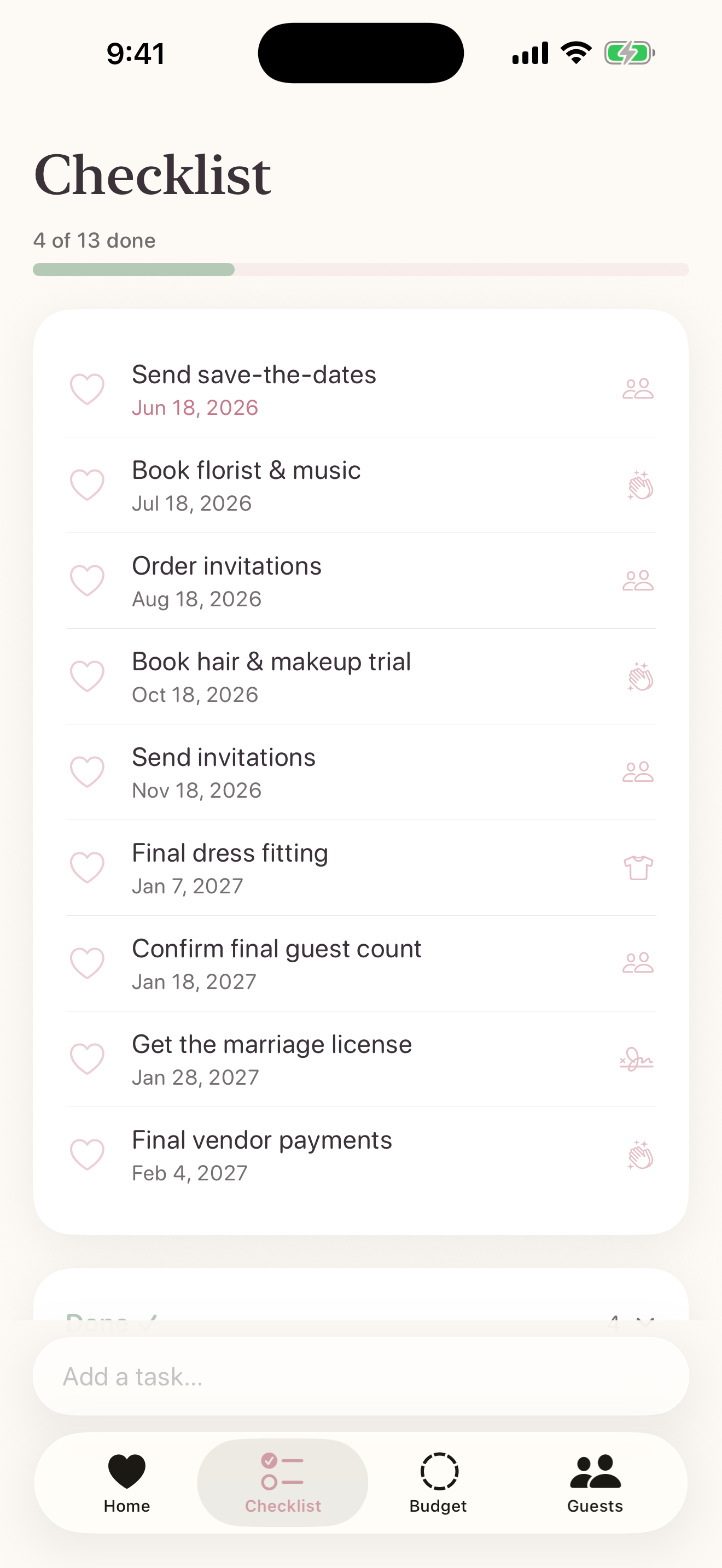
Tied in Bloom seeds a realistic timeline around your wedding date. Version 1.7 lets you choose a lighter or fuller starting plan and group the list by category whenever that feels easier.

  • Three starter depths built around your date
  • Timeline or category views
  • Gentle reminders for due tasks
Tied in Bloom checklist screen
14 of 22 doneYou are making lovely progress
02

A budget that feels human

A budget without the spreadsheet.

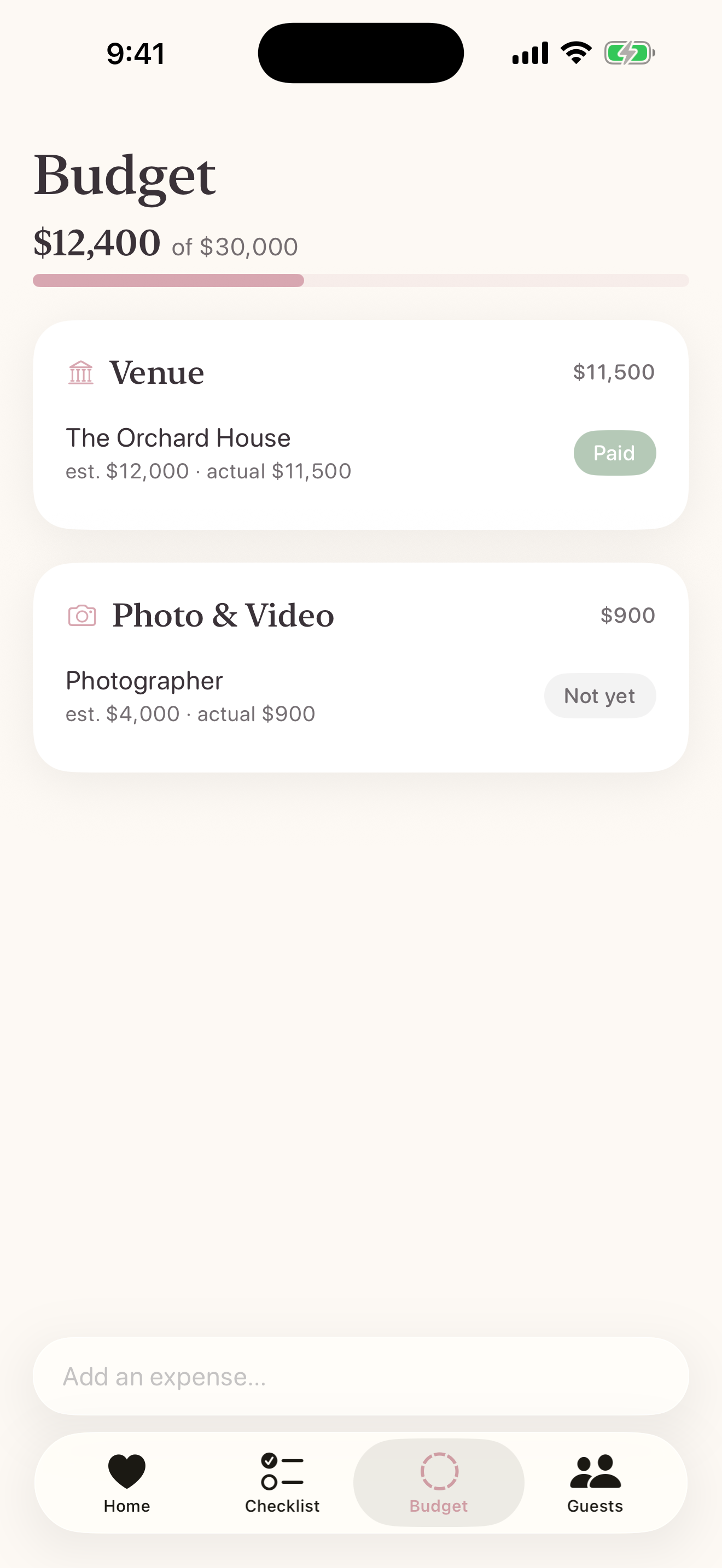
Track estimates, actual costs, payments, and vendors by category. Version 1.7 adds deposit and installment schedules, with due dates gathered into a calm payment calendar.

  • Estimated and actual spending
  • Deposits, installments, and local reminders
  • Upcoming and overdue payment views
  • Organized by wedding category
Tied in Bloom wedding budget screen
$12,400of $30,000 planned
03

People and places, connected

A seating chart you will actually enjoy.

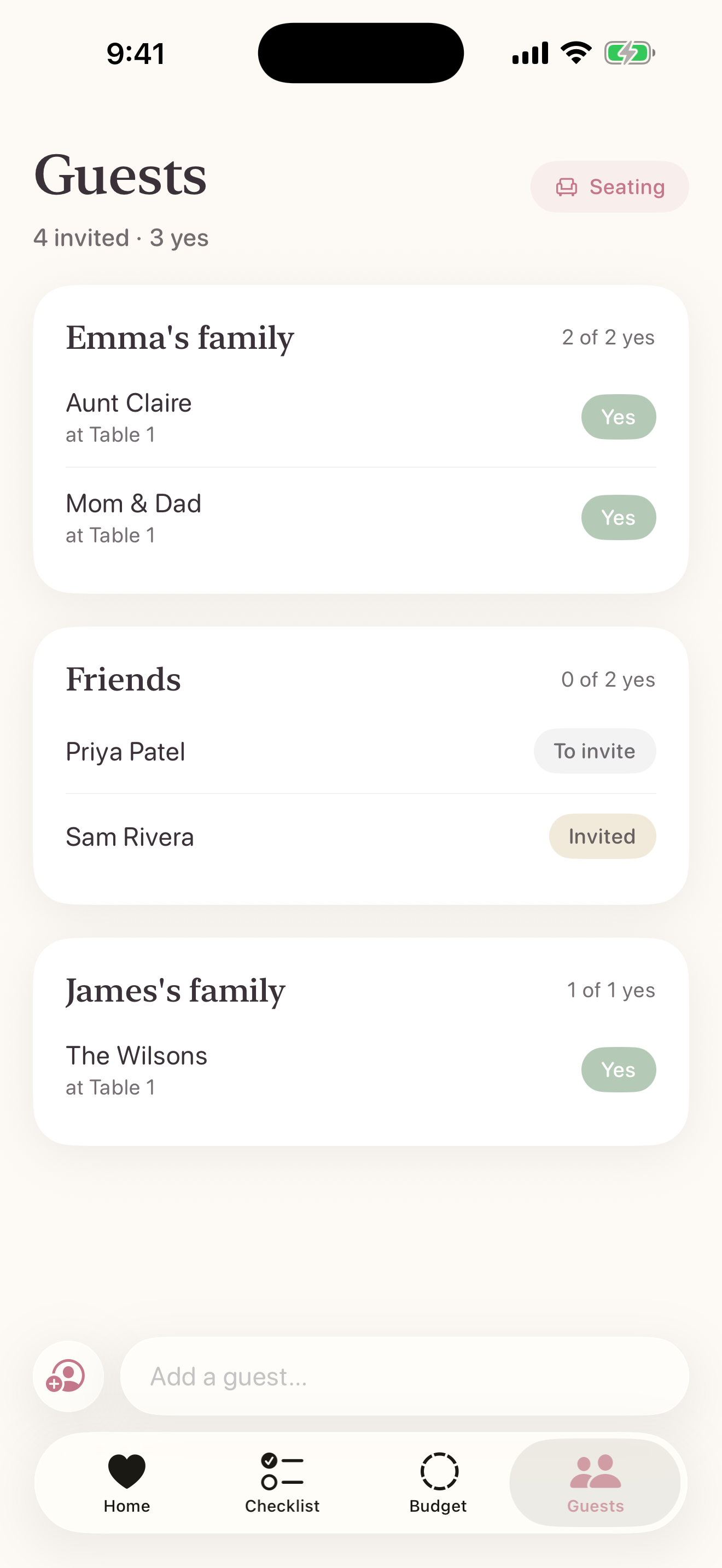
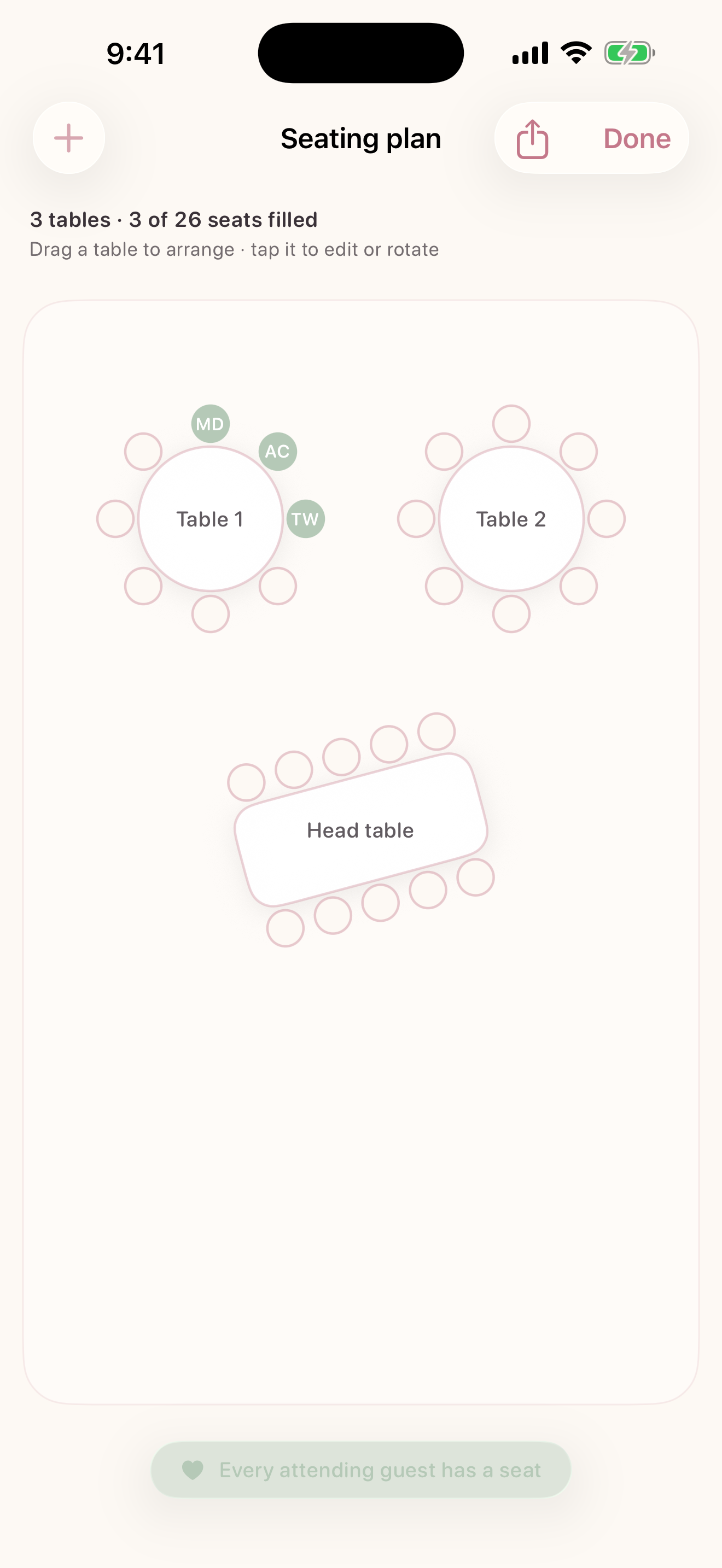
Keep RSVP details, plus-ones, groups, addresses, and notes close at hand. Version 1.7 also tracks save-the-dates, invitations, replies, and your own guest tags before everyone finds a seat.

  • Mail and RSVP milestones
  • Guest groups, tags, and progress totals
  • Private contact import
  • Visual seating arrangements
Tied in Bloom guest list screen
Tied in Bloom seating chart screen

Little luxuries

And the quiet extras.

The thoughtful details that make the whole season feel lighter, calmer, and unmistakably yours.

Plan with your partner

Coming in version 1.7: invite one co-planner to Wedding Team for shared tasks and the seating or wedding-day copies you choose to publish.

Wedding-day timeline

Sketch the day from hair and makeup to the last dance, so the morning itself feels calm.

Widgets

Keep a countdown or next task on your Home Screen or Lock Screen, with an RSVP tally on your Home Screen.

Share your plans

Export the guest list, budget, day plan, or seating chart whenever a venue or vendor asks.

Private iCloud sync

Your full working plan follows you through your private iCloud. Wedding Team sign-in is optional and keeps its smaller, team-safe space separate.

Designed for accessibility

Built with Dynamic Type, VoiceOver labels, and support for Reduce Motion.

Coming in version 1.7

Plan together for free. Upgrade for the studio.

The owner and one invited co-planner can share team-safe tasks at no charge. A subscription unlocks the advanced Seating Studio and lets the owner publish new polished copies for the Team.

Included for everyone

Core Wedding Team

Free

  • One owner and one invited co-planner
  • Shared team-safe tasks and assignments
  • One manual seating plan with basic export
  • View existing published seating and wedding-day copies
  • The full private plan stays in the owner's iCloud

For the wedding owner

Seating Studio

$4.99monthly
$29.99annual
  • Additional seating plans and ready-made layouts
  • Saved designs and side-by-side comparisons
  • The polished Seating Book
  • New seating and wedding-day publications

United States storefront only at launch. Apple shows the final local price before purchase. The co-planner never pays.

Read subscription terms

Private by design

Your wedding plans belong to you.

No ads, no tracking, and no third-party analytics. Your full guest list, budget, and working plan stay on your devices and in your private iCloud, where the developer cannot read them. If you turn on Wedding Team, only the limited team-safe details described in the Privacy Policy use the separate collaboration service.

Read the Privacy Policy
Privatefull plan in your iCloud
OptionalWedding Team sign-in
Zeroadvertising or tracking
Tied in Bloom app icon

For the season before forever

Plan beautifully.
Be present completely.

Available now, free on iPhone and iPad.