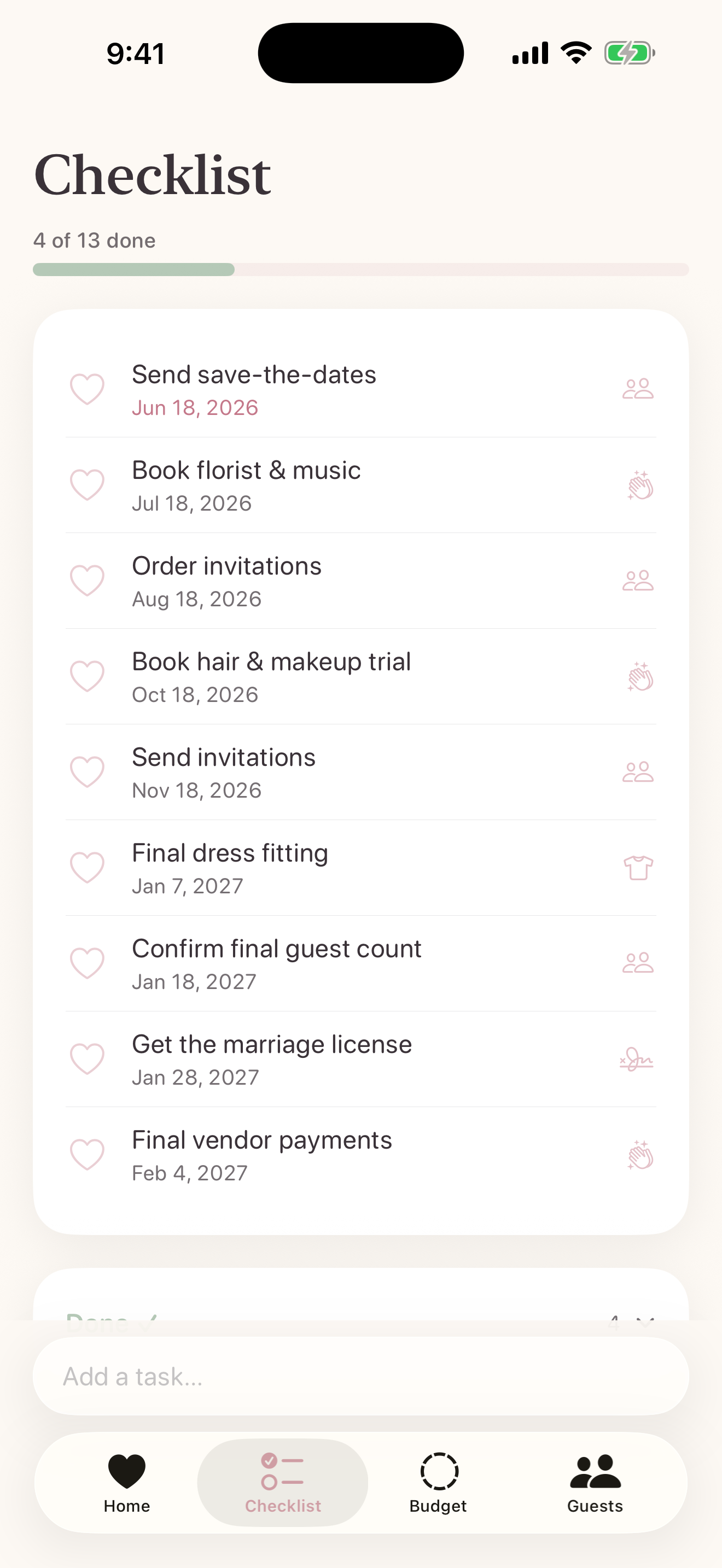
01Checklist
A clear next step.
Start with a plan built around your date. Choose how much guidance you want, then search or group tasks your way.
For the season before forever
Your checklist, budget, guests and day plan, together in one calm place.
For iPhone, iPad and Mac.
Start with the free planner. Add Bloom Plus for more ways to plan.
Thoughtful from the first yes
Shown with fictional wedding details.
01Checklist
Start with a plan built around your date. Choose how much guidance you want, then search or group tasks your way.
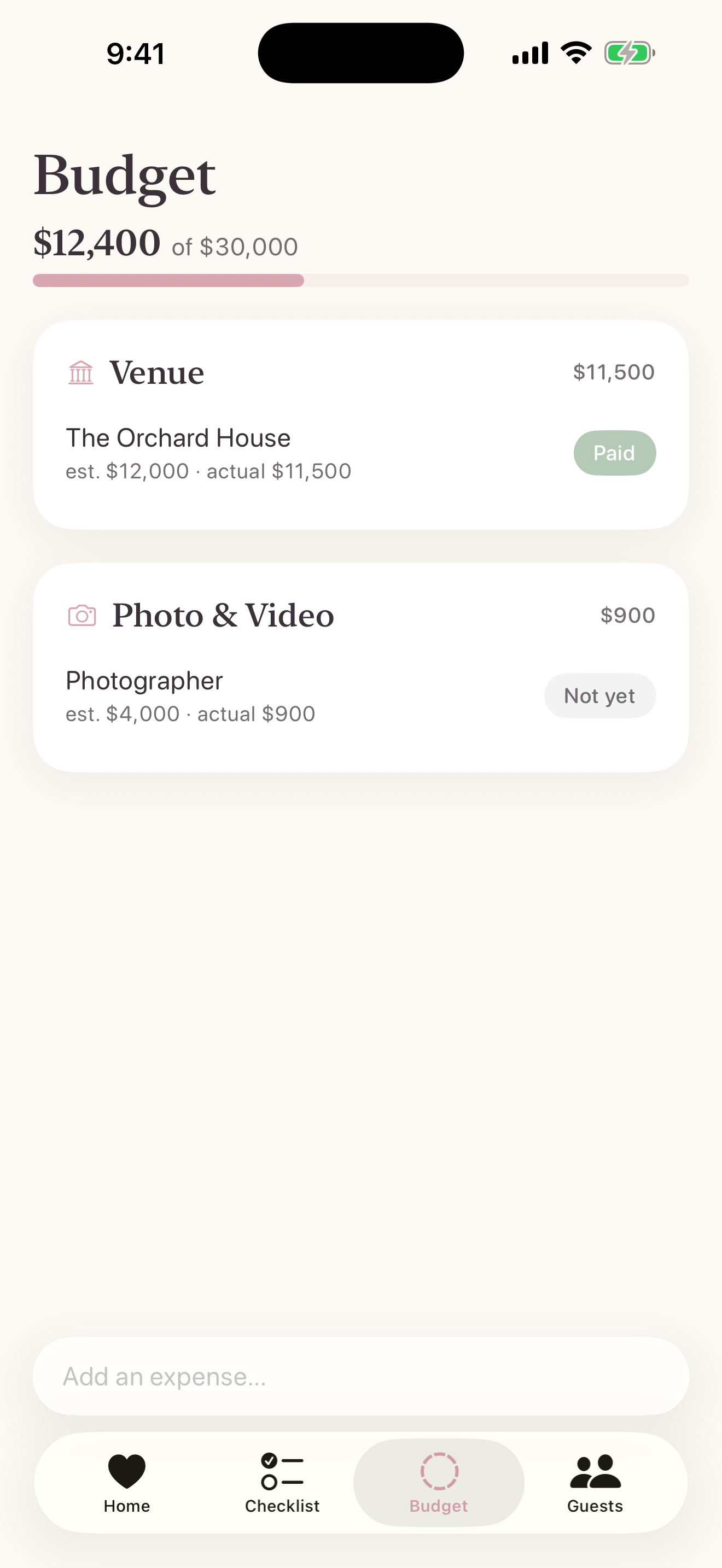
02Budget
Keep costs, payments and vendors close. See Planned, Paid and Remaining, with a calendar for deposits and installments.
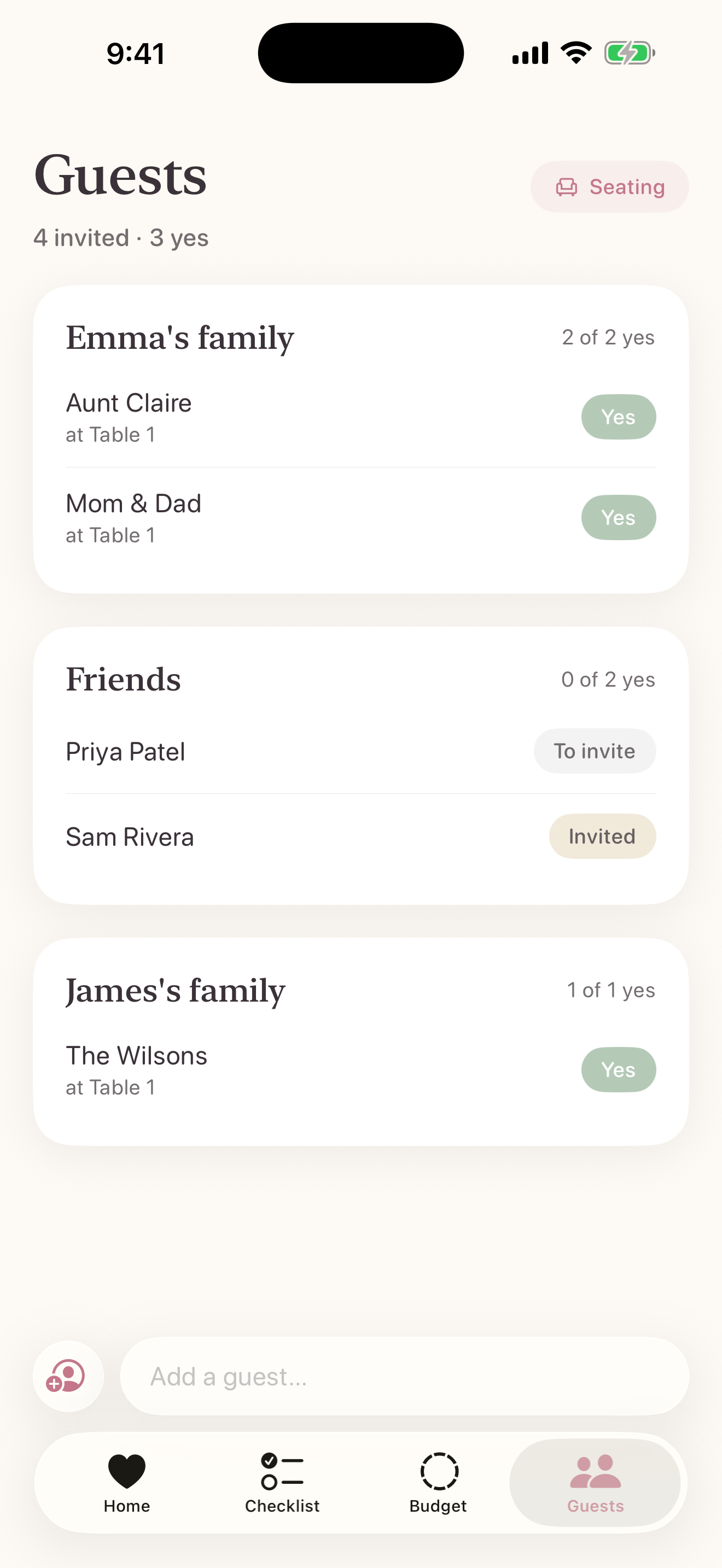
03Guests
Bring RSVPs, groups and plus-ones together. Search your list and track save-the-dates, invitations and replies in one place.
04Seating
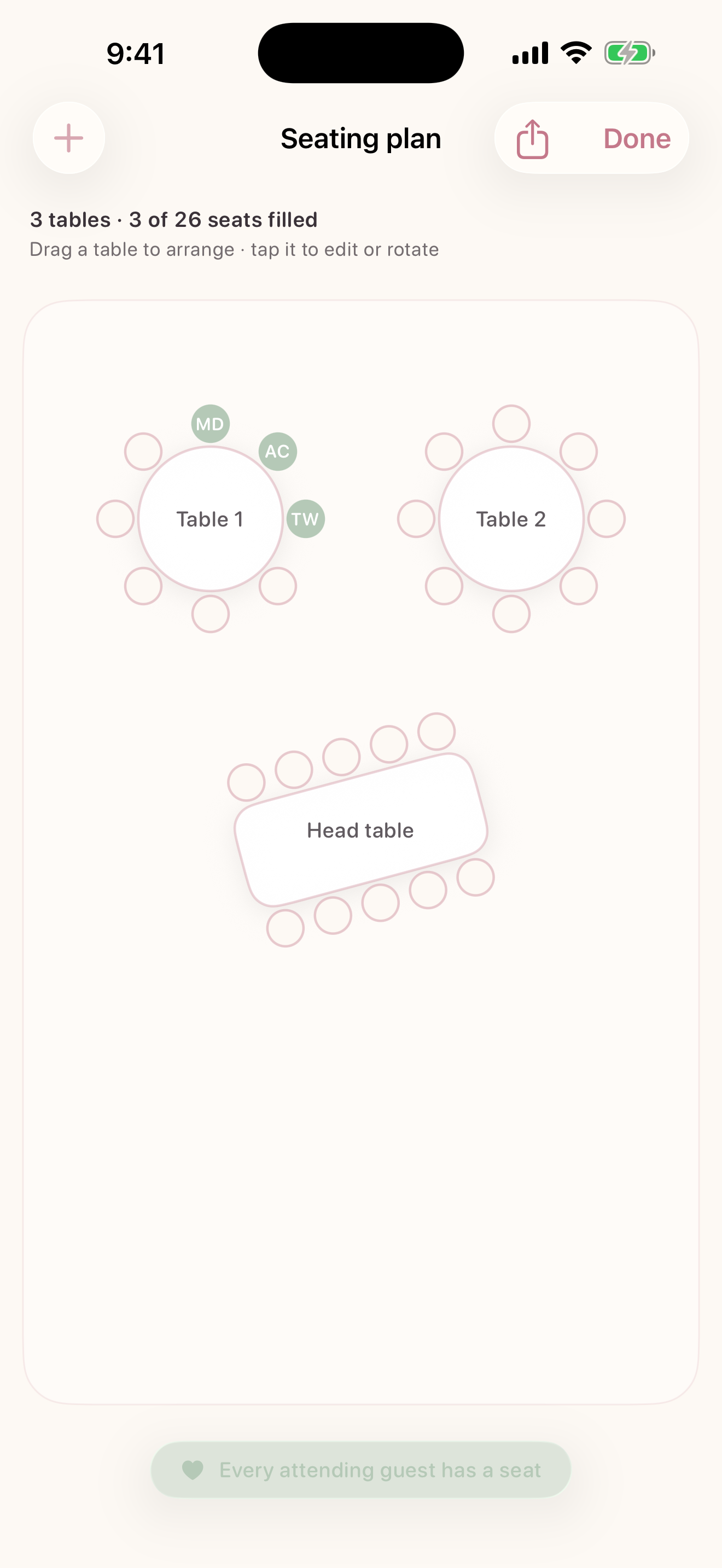
Arrange your tables and seat your guests. New tables find a clear spot, with a room overview when you need the bigger picture.
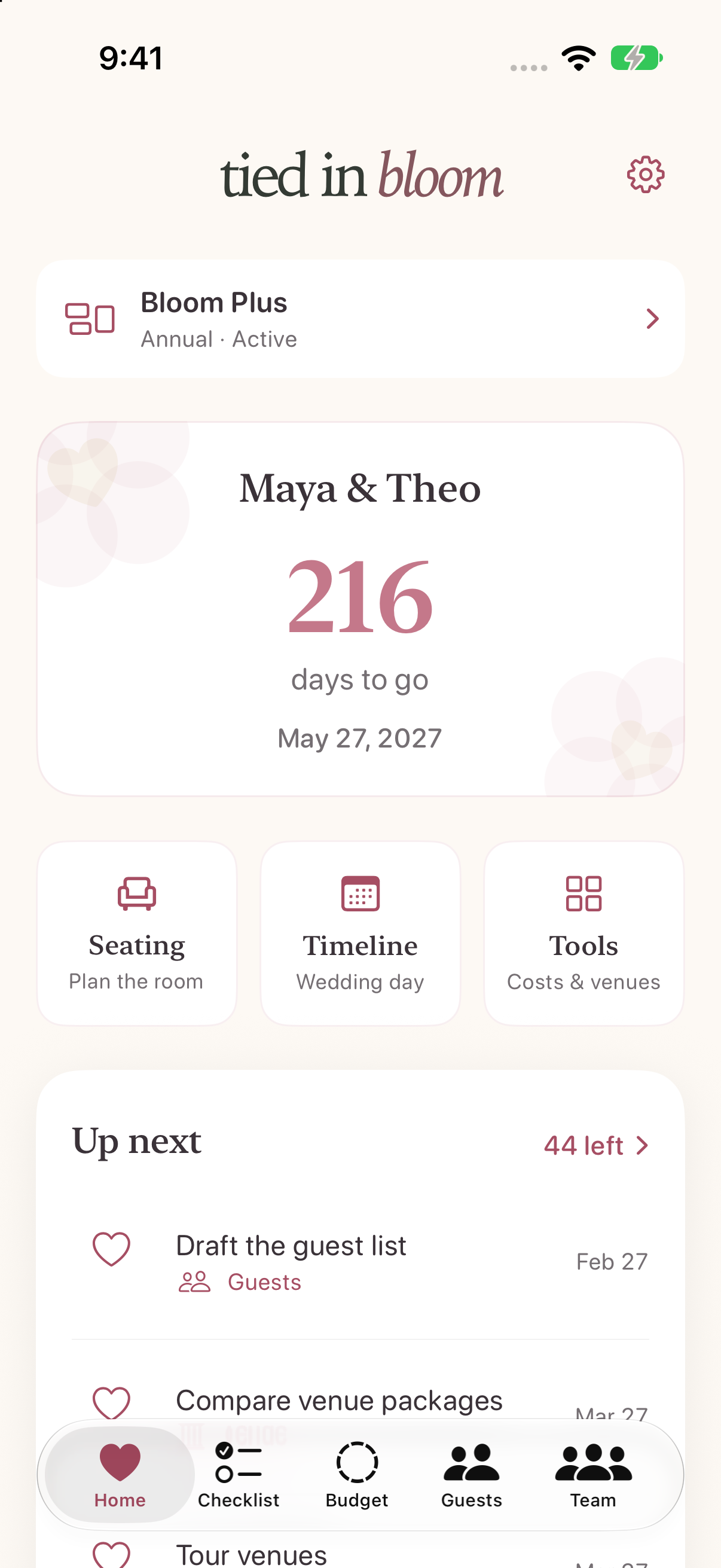
A wedding-day timeline, countdown widgets and local exports for the people helping you.
Your wedding plan stays on your device and, when enabled, in your private iCloud. No Tied in Bloom account or sign-in is needed. Export the details you want to keep or share. About your plans and copies
Dynamic Type, VoiceOver and Reduce Motion support, with room to plan at your own pace.
Your Wedding Team
With Bloom Plus, invite one co-planner through iCloud. Share single items from your Checklist, Budget or Wedding day, or a whole category so new items follow. You can both edit what you share. Guests and seating stay private.
Your private planner
Includedfor your everyday plans
More room for your plans
Optional · US only
Subscriptions renew until you cancel in your Apple Account settings. See the Terms and Privacy Policy.
Good to know
The native wedding planner is available for iPhone, iPad and Mac. You can use the free website tools in a browser on other devices; they are separate from the app.
No. Website drafts and private app plans stay separate. Using a website tool does not automatically add its contents to your app.
Tied in Bloom is a wedding planner app for iPhone, iPad and Mac. It keeps your checklist, budget, guest list, seating chart and wedding-day timeline together in one place.
Yes. The app is free to download and includes your checklist, guest list, wedding-day plan, basic budget tracking and one seating plan. Bloom Plus is an optional subscription with more planning tools, offered in the US for $4.99 a month or $29.99 a year.
Yes. Arrange your tables and seat your guests. The free planner includes one seating plan with basic export. Bloom Plus adds Seating Studio with more plans, venue layouts, saved designs and the Seating Book.
Yes. With Bloom Plus you can invite one co-planner through iCloud and share single items or whole categories from your Checklist, Budget or Wedding day. The person you invite can join for free.
No Tied in Bloom account or sign-in is needed. Your plan stays on your device and, when you turn it on, in your private iCloud.
Yes. tiedinbloom.com has free tools you can use in your browser with no sign-in, including a wedding budget calculator, guest count planner, planning timeline, table count calculator and wedding music planner.
A note from Sergio and Kate
Tied in Bloom began during our own engagement, as a way to take a little of the weight out of wedding planning. We shaped it together, and we are building it as a couple planning our own wedding. We hope it helps you find your way through yours.
Read our storyMake room for what matters
For iPhone, iPad and Mac.
Made with love. Shaped by the two of us.